AI-assisted development
 Smith
SmithAn AI-agent notebook that bridges database physics and application development: connect to a database, chat with a local LLM to generate SQL and Node.js, run queries against real data, and generate a deployable Data API you can preview instantly, serve from API workers in your own Docker deployment, publish to AWS Lambda, or save to Git. Runs on your choice of model — self-hosted Ollama or vLLM, or OpenAI, Azure OpenAI, Anthropic, Bedrock, or Gemini — configured once in Core.
Smith's current build is the notebook core — connections, schema introspection, SQL execution, chat-driven code generation, deterministic Data API generation, and an instant local preview — plus a Deploy dialog that can run it locally, serve it from API workers, publish it to AWS Lambda, or save it to your Git repository.
From Home, add a connection (Smith tests it before saving) and create a notebook attached to it — or attach a connection later from the notebook toolbar. Smith also has its own Add Connection and Import from Core actions, so it can either hold its own connections or pull in one of Core's Shared Data Connections the same way Detanami and Flow do.
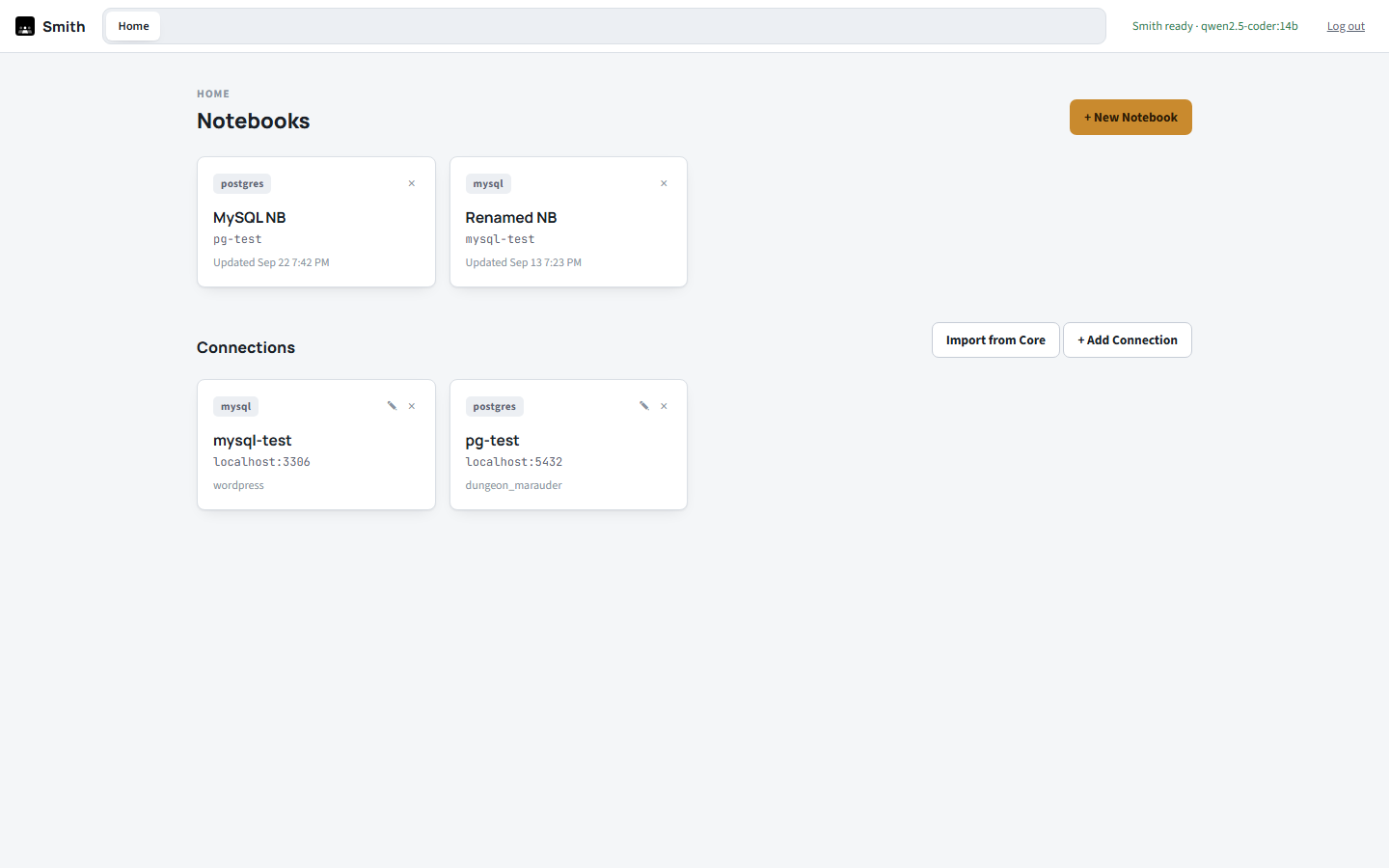
A notebook is a set of cells — + SQL, + JS, or + Note — each opened as its own tab with a full Ace editor instance, so undo history and cursor position survive switching between cells or running a query. Run a SQL cell to see a real results grid underneath it.
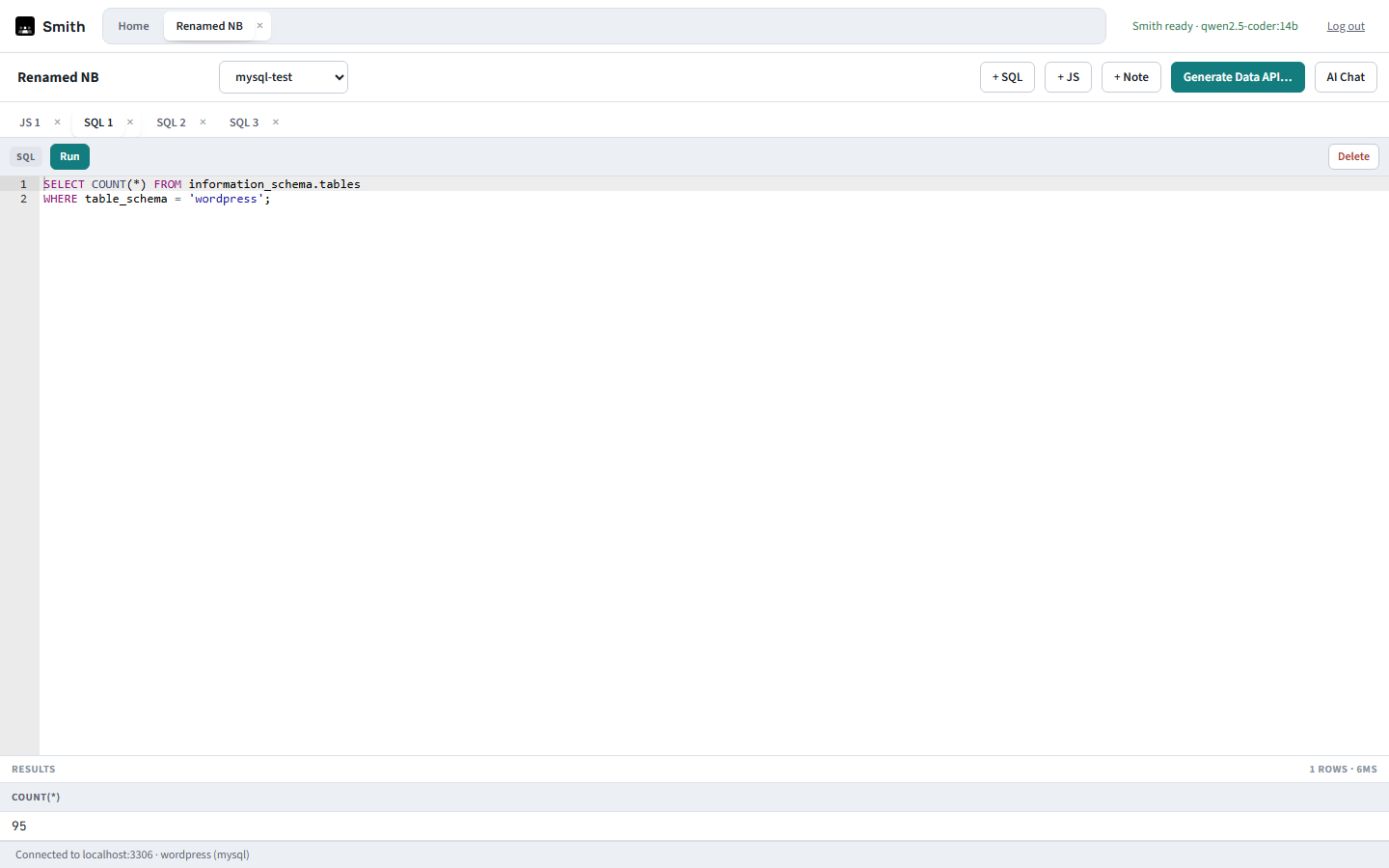
A JS cell typically holds Smith's own generated Data API code (see below) — full syntax highlighting, but treated as generated output: regenerate it instead of hand-editing, or wrap it in your own module for customizations.
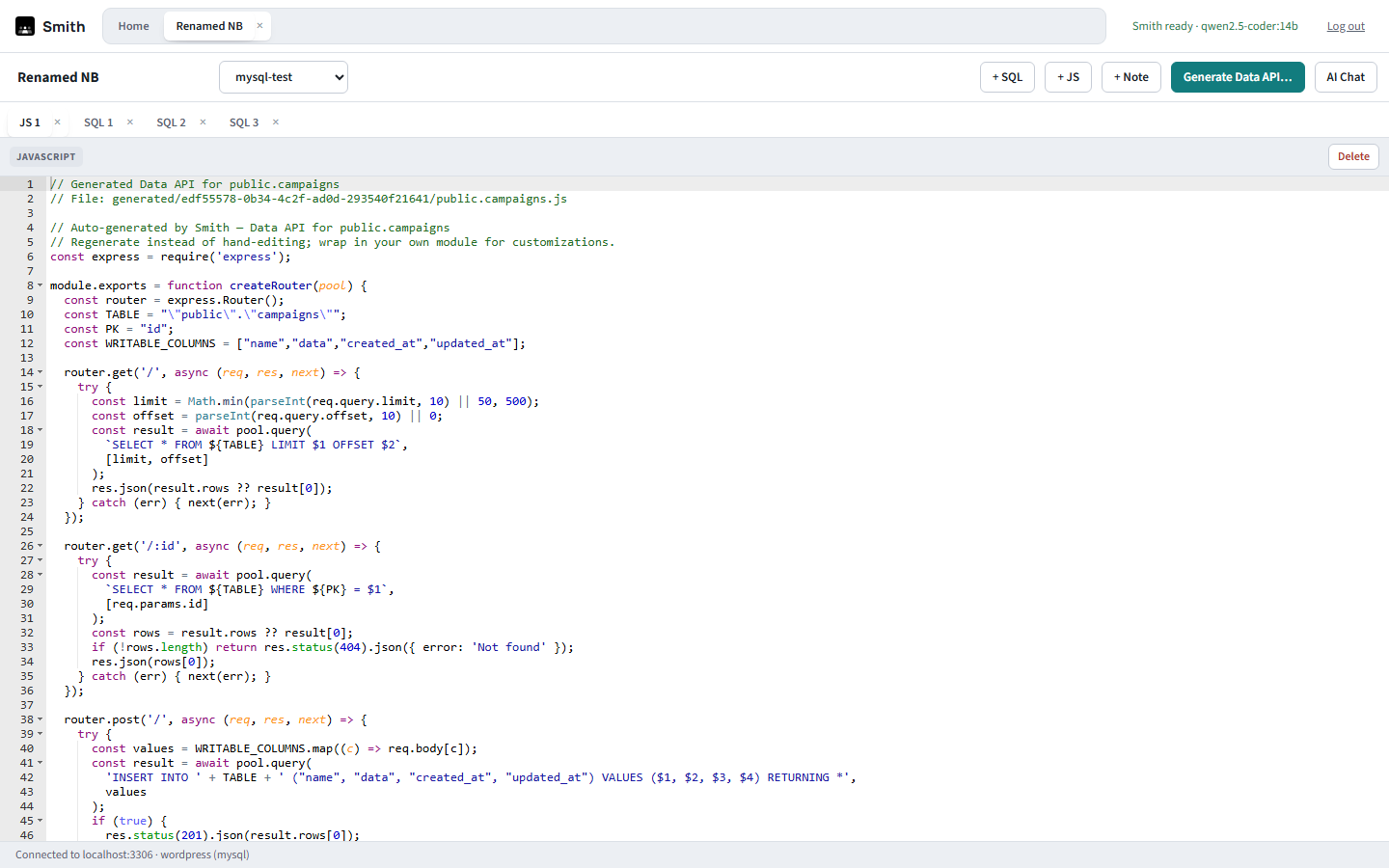
Toggle AI Chat to open a resizable right-side dock — the same structural pattern as Detanami's Workbench chat, riding the same AI DBA Agent, whichever model backend Core is configured to use. Ask it to write a query, generate an API, or explain a plan; code blocks in its replies get an Insert into editor-style action so you stay in control of what actually lands in a cell.
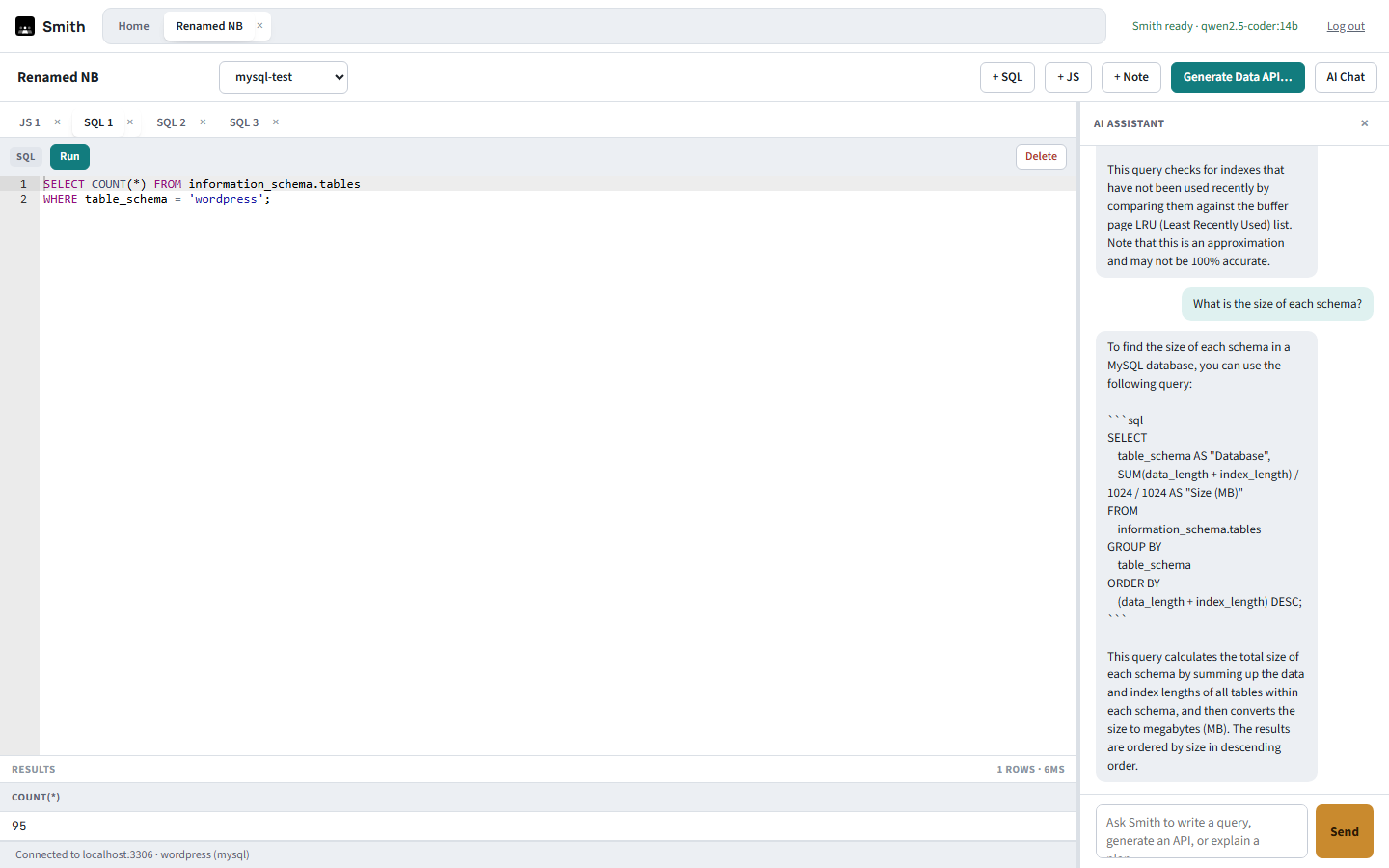
Click Generate Data API…, pick a table, and Smith introspects its columns and primary key to generate a standalone Express router with parameterized list/get/create/update/delete routes — the same code you saw in the JS cell above.
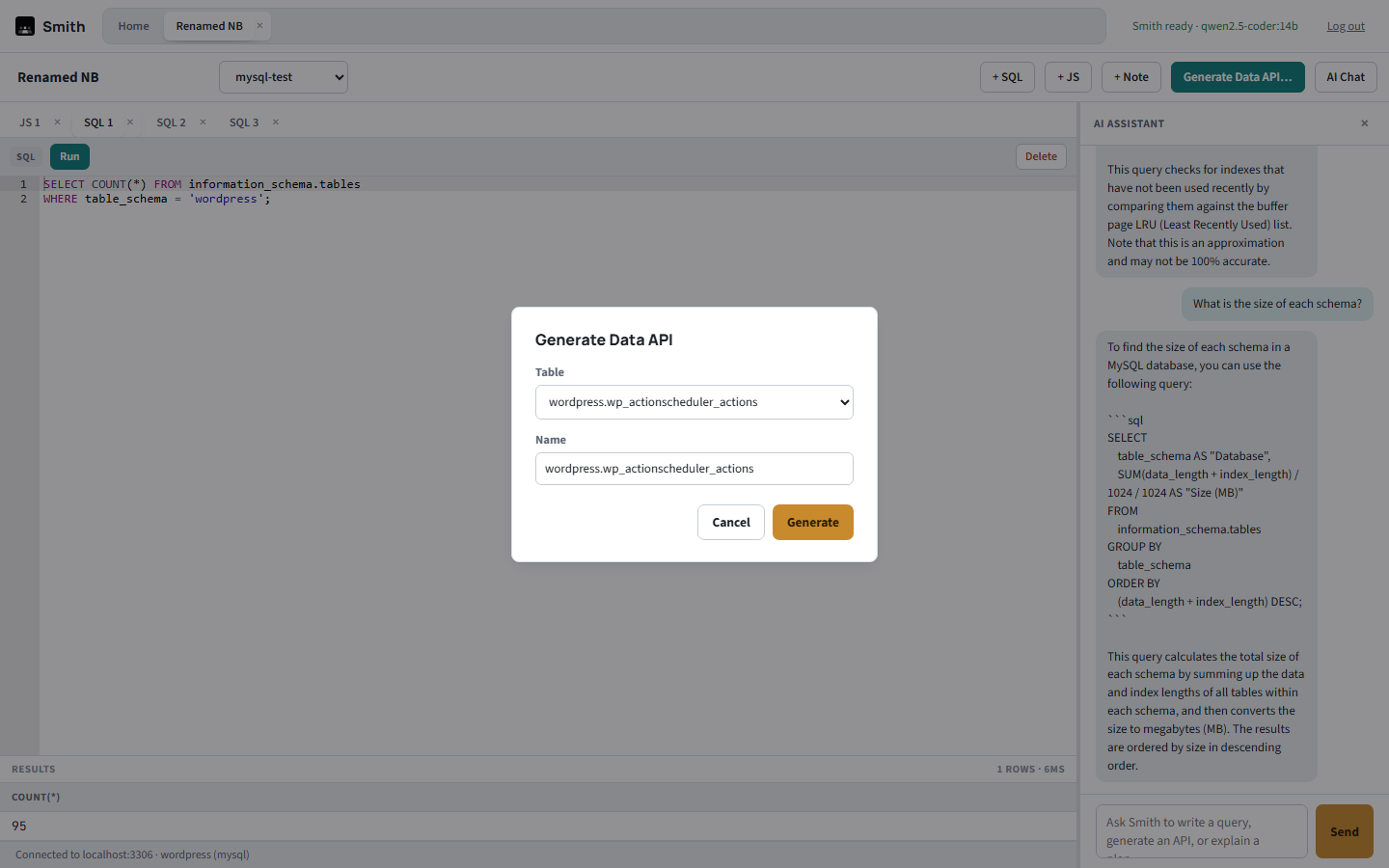
Generation emits dialect-specific SQL for PostgreSQL, MySQL/MariaDB, Microsoft SQL Server, Oracle, IBM DB2, and Firebird (parameter style, pagination, and RETURNING/insert-id handling all differ per engine). Azure SQL (as SQL Server), TimescaleDB (as PostgreSQL), and Doris (as MySQL) generate too. Snowflake, BigQuery, Athena, Spanner, Trino/Presto/Iceberg, Cassandra, Neo4j, InfluxDB, OpenSearch, Solr, DuckDB, Couchbase, and Elasticsearch connections can be browsed and queried (with a query plan where the engine offers one), but have no Data API generator. SQLite connections can be browsed and queried but can't be a Data API target — there's no client-server pool for a generated API to use.
Right after generation Smith offers to start a local preview, so you can hit the API at /preview/<apiId>/... against the real database without leaving Smith. Click Preview on the generated API's JS cell to open its dialog, where you can rename its URL slug, start or stop the preview, try each route (list, get, create, update, delete) with limit/offset/id/body fields and see the real response inline, or delete the API — which also removes the generated file and stops its preview. A Deploy… button in the same dialog opens the Deploy dialog.
The generated router is an ordinary JS cell, so you can edit it — change the primary key, add a route, tighten a query. Saving the cell writes its code back to the router file whenever it parses (it is only syntax-checked, never executed). Starting the local preview, saving to Git, and deploying to Lambda each sync from the cell first, so what ships is always what the editor shows. If the cell doesn't parse, it still saves, but those actions refuse with a clear error and the file stays at its last good version until you fix the syntax.
Smith and Blueprint link to each other when both are installed and enabled for you. A Core-imported connection's card on Smith's Home has an Open in Blueprint button that opens Blueprint's import dialog for that connection. Going the other way, a table's inspector in Blueprint has Generate a Data API in Smith: Smith opens on that connection, schema, and table and asks you to confirm before it generates the API. The API is generated from the table as it exists in the database, not from unsaved model edits in Blueprint.
After generating an API, Smith offers a local preview and then asks whether to deploy it somewhere; you can also click Deploy… in the API's manage dialog at any time. The Deploy dialog lists every target and which of them this Smith instance can actually use — an unavailable target is shown disabled with the reason (for example a missing AWS config, API workers not turned on, or no Git connection in Core) rather than hidden.
| Target | What it does | Needs |
|---|---|---|
| Local preview | Mounts the router at /preview/<apiId>/ inside Smith so you can try it against real data. | Nothing. Not a deployment, so it is never approval-gated, even on a Core connection. |
| AWS Lambda | Packages the router and exposes it on an IAM-authenticated Function URL. See below. | An aws block in Smith's config. Approval in Core for Core-imported connections. |
| API workers | Serves the router from Smith's worker containers, behind the suite's proxy, at /api-gw/<api>. Every call needs an access key. See below. | API workers turned on when the suite was installed. Approval in Core for Core-imported connections. Not available for SQLite connections. |
| Save to Git | Commits the router's source to your repository, or opens a pull request. | A Git connection under Core's Version Control. |
Choosing Save to Git reveals a repository picker (the repositories Core's Git connection can see), a Branch, and a File path in repo (it defaults to data-apis/<schema>.<table>.js). Tick Open a pull request instead of committing directly and the branch becomes the PR's base branch. The result shows either the commit (path to repo@branch) or the pull-request link. Smith holds no Git credential — the call goes through Core, which puts no approval gate in front of it; a pull request's own review is the control.
Smith can publish a generated API as an AWS Lambda function. When the Generate Data API dialog finishes, choose it in the Deploy dialog and Smith stores the database credential in AWS Secrets Manager, packages the generated router behind a fixed handler, and exposes it on a Lambda Function URL that requires AWS IAM authentication. Anonymous requests are rejected by design, so callers must sign their requests with AWS credentials.
If the API's connection is a Shared Data Connection imported from Core, deploying doesn't run immediately: Smith files a deployment request in Core's Deployments queue, with the generated router's source attached so the approver can read exactly what will be deployed. The request then appears in a Pending deployments list on Smith's Home page; once an admin approves it, click Check / Deploy there and Smith executes the deploy and reports the result back to Core. A connection that's local to Smith deploys right away, with no approval step. Lambda and API workers are the gated paths: local previews and saving to Git never file a deployment request.
There's no button for this yet — removing a deployed function, its Function URL, and its secret is a POST /api/deploy/lambda/<apiId>/stop call against Smith.
Smith can serve a generated API from API worker containers in your own Docker deployment — no AWS account needed, and the API runs on your hostname next to the rest of the suite. A deployed API is available at https://HOST/api-gw/<api>, where <api> is the API's URL slug (or its id if it has none). Workers are stateless: every worker serves every API, and the proxy spreads requests across them.
API workers are switched on when the suite is installed, not from inside Smith — see Smith API workers in the deployment guide (./install.sh --api-workers N). Until then the API workers target in the Deploy dialog is shown disabled, with the reason. Once they're on but before any worker has connected, the target reads none connected right now — it goes live once one connects.
Choose API workers in the Deploy dialog. Smith first syncs the JS cell to the router file (an unparseable cell is refused, as for every target), then takes a snapshot of the router's source and issues an access key. Workers poll Smith every few seconds and pick the snapshot up, so a new API is live within about five seconds. The dialog shows the URL and the key.
Every API requires a key; there is no anonymous mode, because these APIs sit on your hostname in front of a real database. The key is shown once, when it is issued — Smith stores only its SHA-256 hash, so a lost key can't be recovered, only replaced. Callers send it either way:
curl -H "Authorization: Bearer <key>" https://HOST/api-gw/<api>/
curl -H "X-API-Key: <key>"            https://HOST/api-gw/<api>/
A missing or wrong key gets a 401. A Core login cookie is not accepted on this path. Deploying again while the API is still live keeps its key, so clients don't break; stopping an API and deploying it again issues a new key.
The same rule as Lambda applies. If the API's connection is a Shared Data Connection imported from Core, deploying files a request in Core's Deployments queue, with the router's source attached, and nothing is served while it waits. Once an admin approves, click Check / Deploy in the Pending deployments list on Home (API workers deployments are labelled as such). Smith records the deployment with Core first and goes live second, so if Core can't be reached nothing is deployed and you can simply click Deploy again. A connection that's local to Smith goes live straight away. Deployment approvals are a licensed Core feature: without an active license Core answers with HTTP 402.
There are no buttons for these yet — they are calls against Smith, made while logged in:
| Call | What it does |
|---|---|
| POST /api/deploy/worker/<apiId>/stop | Stops serving the API. Reported to Core as a rollback for Core connections. |
| POST /api/deploy/worker/<apiId>/rotate-key | Issues a new key (shown once, in the response) for a live API. The old key stops working as soon as the workers' next poll lands. |
| GET /api/deploy/workers | Lists connected workers and, for each deployed API, how many have caught up with its current version. |
On the suite's proxy these live under Smith's prefix, e.g. /smith/api/deploy/worker/<apiId>/rotate-key.
GET /preview/<apiId>/ — to confirm it behaves as expected against real data.Connection passwords are encrypted at rest with a key generated locally on first run — nothing is ever stored in plain text, whether the connection was created directly in Smith or imported from Core.
 DBMojo Docs