Platform
 DBMojo Core
Core is the identity, credential, and audit layer every tool reads from directly — not a proxy in front of them. This page is the full reference for Core's own admin surface: Shared Data Connections, Deployments, CI/CD Tokens, Migration Conflicts, Version Control, and everything under the System Management and Application Management menus. For sign-in and the cross-cutting AI DBA Agent story, see the overview.
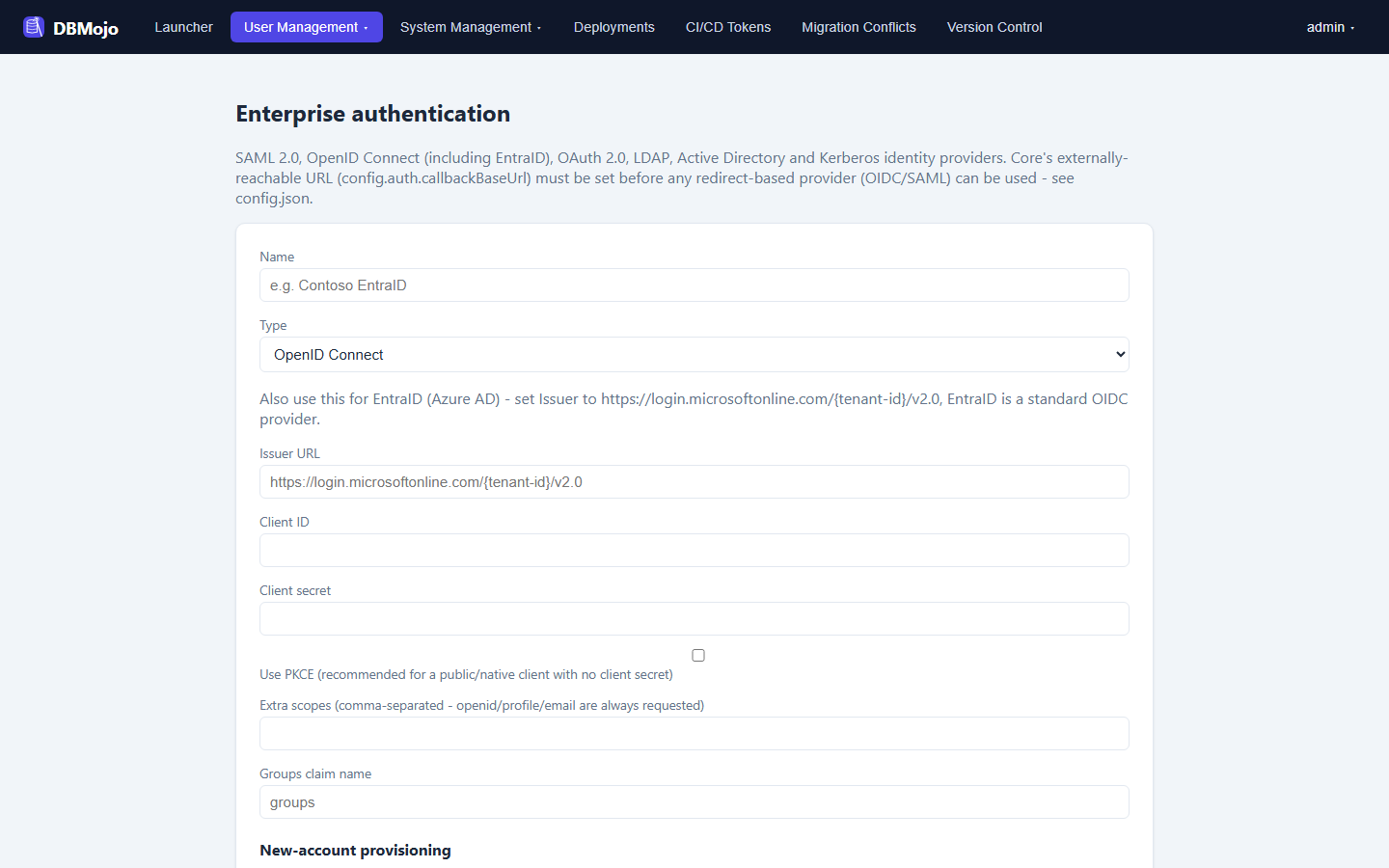
User Management → Enterprise Authentication lets an admin add external identity providers alongside Core's own username/password login, so people can sign in with the company directory and still land in the same single sign-on session every tool reads. Providers are configured at runtime in the admin UI — issuer, client ID, certificate, group mappings — and stored encrypted in Core's database, not in config.json.
| Type | Status |
|---|---|
| OpenID Connect (incl. EntraID) | Working. Optional PKCE, extra scopes, and a groups-claim name for group mapping. |
| SAML 2.0 | Working. |
| OAuth 2.0, LDAP, Active Directory, Kerberos | Can be configured and are audit-logged, but cannot yet be enabled for real logins. |
Application Management → Connections is the central credential vault — DBMojo's primary differentiator over running separate tools side by side. A connection's secret is an opaque, encrypted (AES-256-GCM) JSON blob; Core never interprets or validates it, it only stores, shares, and brokers it to whichever tool already knows how to use that shape.
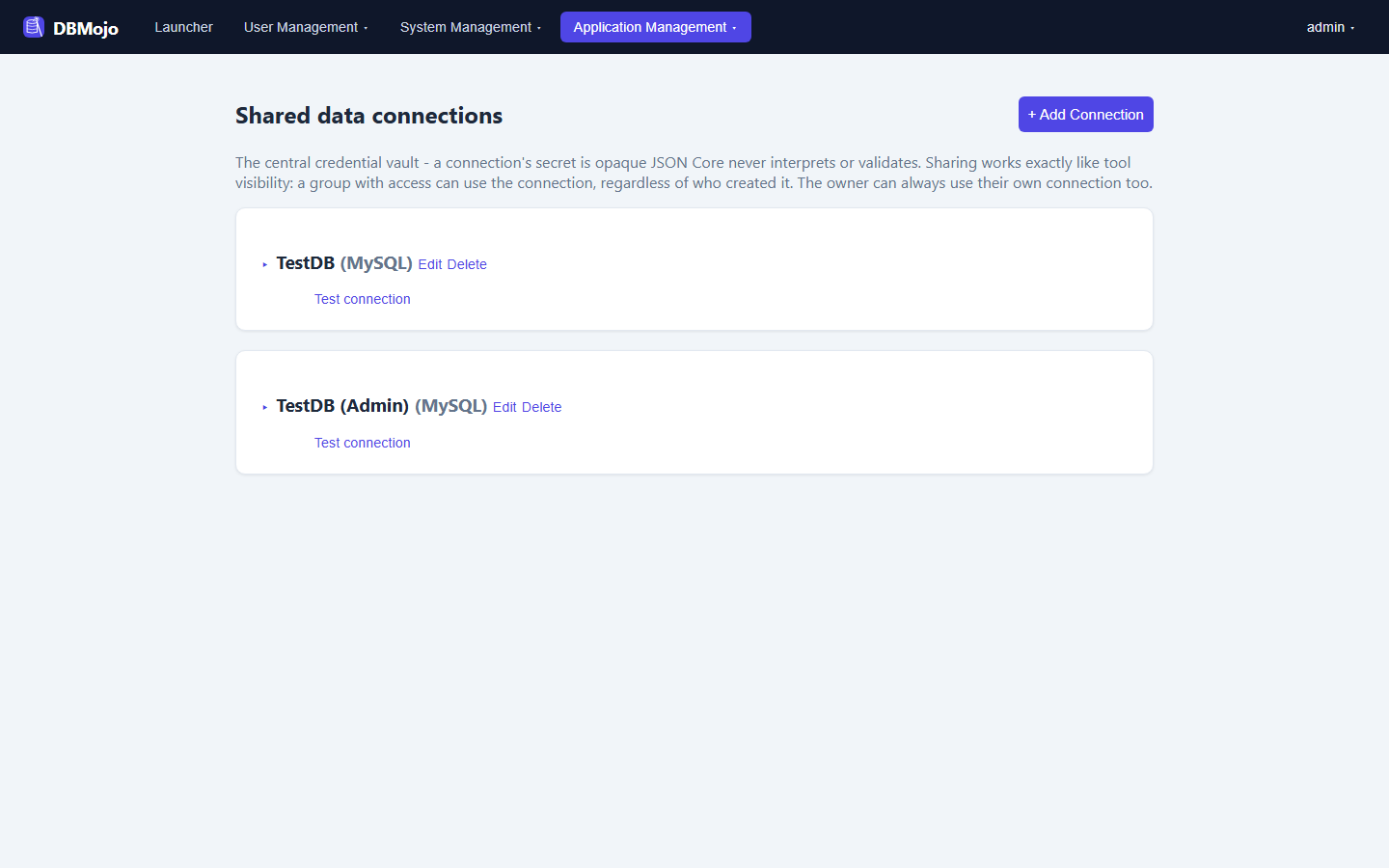
The admin API only ever returns metadata (name, type, owner, sharing) — the decrypted secret only ever flows over the internal server-to-server path a tool uses on behalf of its logged-in user, authorized by Core itself rather than trusted from the calling tool. Every resolve attempt, granted or denied, is audit-logged. This is exactly what Detanami's Shared Connections (Core) section and Flow's Database Query node are reading from.
For MySQL, MariaDB, Apache Doris, PostgreSQL, TimescaleDB, Redshift, MSSQL, Azure SQL, Oracle, IBM DB2, Firebird, Sybase / SAP ASE, Trino, Presto, Neo4j, Valkey, Couchbase, Elasticsearch, OpenSearch, and Solr, + Add Connection shows the same fields Detanami's own connect dialog uses — Server/IP, Port, Database/Schema, Use TLS/SSL, Username, and Password — and builds the secret from them. That removes a real trap: a hand-typed JSON secret with a wrong key name (say user instead of username) used to fail silently and fall back to a driver default. Existing connections are recognised case- and spelling-insensitively (postgres counts as PostgreSQL), so they get the structured form on Edit too. Snowflake, BigQuery, Athena, Spanner, Cassandra, Iceberg, and InfluxDB don’t fit a plain host/port shape, so they use the JSON editor pre-filled with a template of the keys Detanami reads (account/warehouse for Snowflake, project and service-account credentials for BigQuery and Spanner, region/AWS keys/output location for Athena, local datacenter for Cassandra, catalog for Iceberg, mode and API token for InfluxDB). DuckDB is a local file, so it isn’t offered as a shared connection. Anything else (Redis, MongoDB, CouchDB, S3, and ClickHouse or SQLite entries) is the Other type with the free-form JSON editor, since Core has no fixed shape for them. Each connection card is collapsible — only the name, type, and Edit/Delete show until you expand it to the group-access sections.
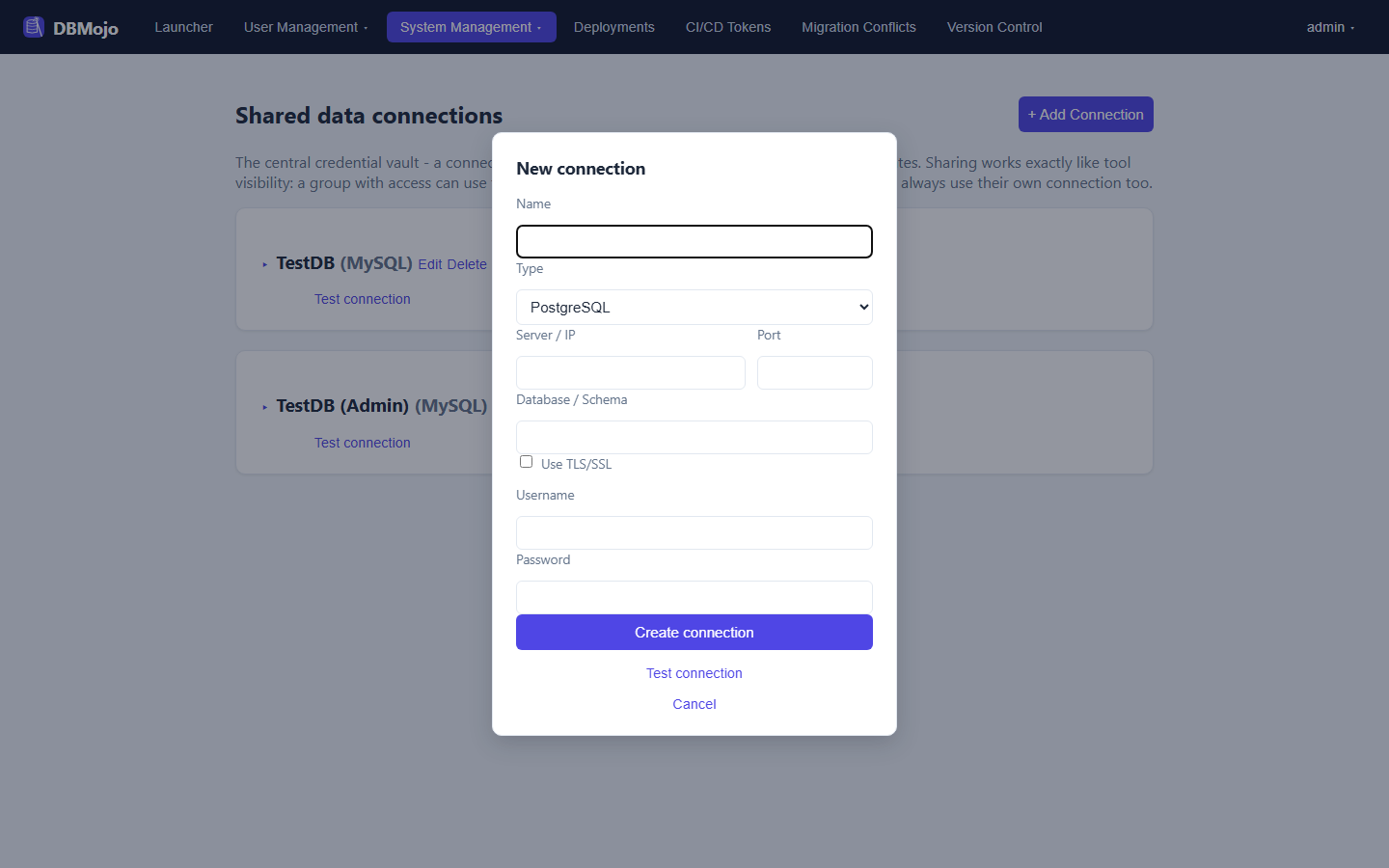
Every connection card, and the New/Edit dialog, has a Test connection button. Core never connects to a database itself, so the test is delegated to Detanami over its internal API — the result reflects exactly what a tool will experience. Self-signed development certificates are accepted only by an explicit opt-in. Tests are audit-logged as connection.test.
A second, weaker grant sits beside normal access: Groups that can target this for a deployment request. It lets a developer file a deployment request against a connection they can't connect to directly — typically production — while real execution still requires ordinary access to it.
Core is a request / approval / audit ledger, never an executor. It never runs DDL or DML against a database and never deploys anything to a cloud target itself — a tool that already holds the relevant driver or cloud credentials (Detanami for database changes, Smith for API deployment, Flow for pipeline changes) does the actual work and reports the outcome back.
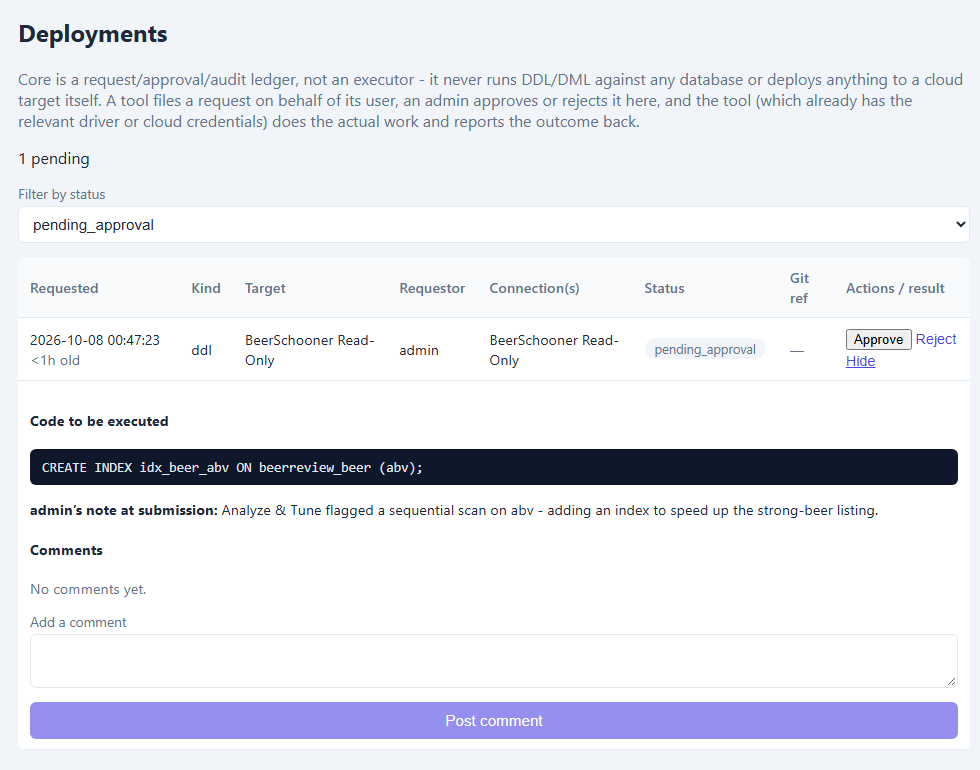
The state machine is strict: pending_approval → approved or rejected; approved → executed or failed (reported by the tool); either of those → rolled_back (the tool performs its own rollback and reports that too). Every invalid transition — reporting before approval, double-approving, double-reporting — is rejected outright. Filing a request requires the requestor to already be authorized to use the target connection; a request can also expire out of pending_approval if it sits too long (agent- or CI-filed requests go stale faster than human ones), and a request can touch more than one connection at once, all tracked and re-verifiable by an admin.
This augments a customer's existing CI/CD rather than replacing it — Core never triggers, sequences, or schedules anything; it's a gate a pipeline calls, optionally tagging a request with a Git ref.
A CI/CD token is a scoped, revocable credential for an external pipeline to file deployment requests and check their status — distinct from the shared internal secret DBMojo's own tools use to talk to Core. A token can only create requests and poll them against the specific connections it's been granted; it can never approve one.
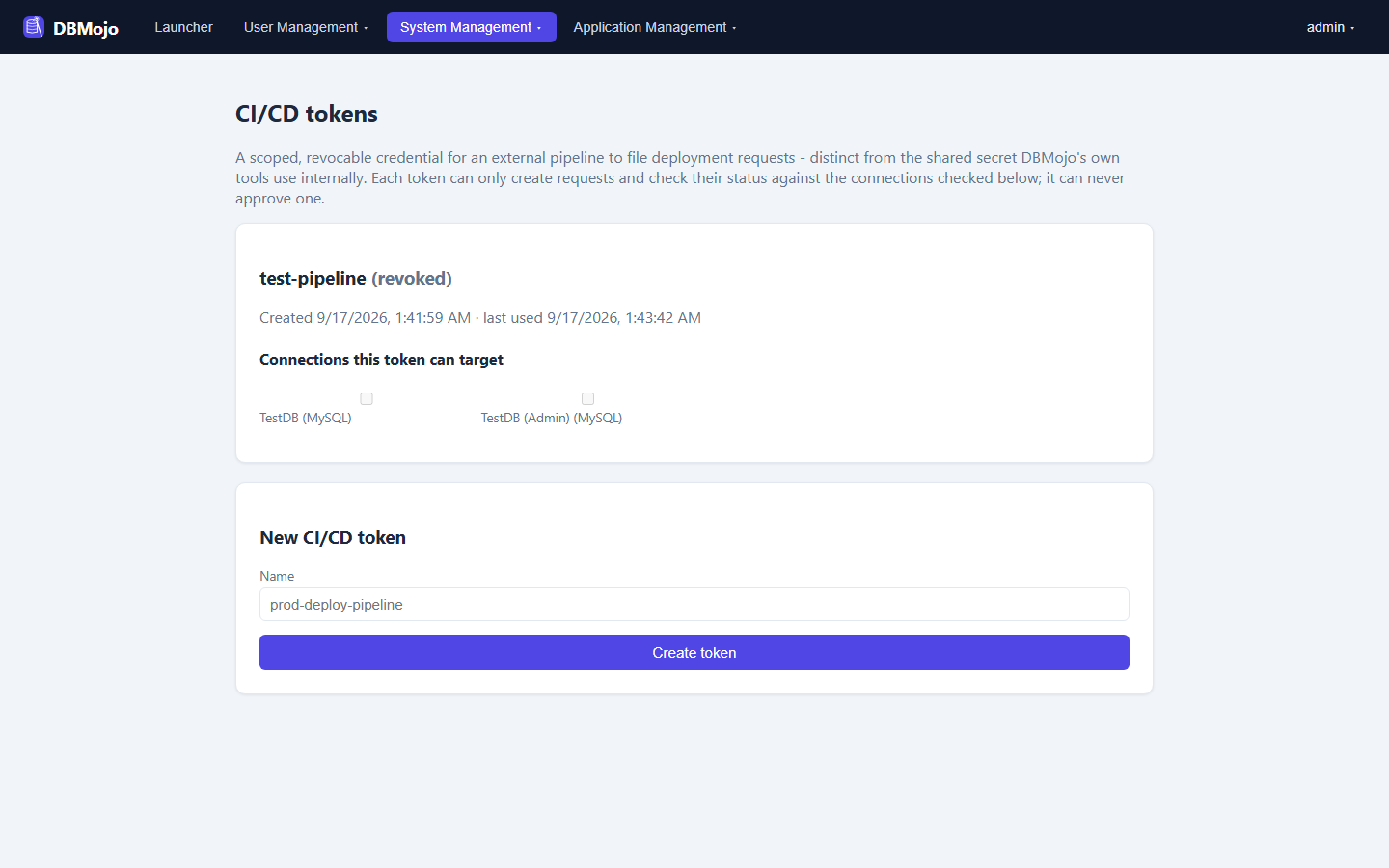
A deployment request filed by a CI token is tagged with origin: ci (as opposed to human or agent) so an admin reviewing the Deployments queue always knows a request came from an automated pipeline rather than a person, and it's still attributed back to the accountable human who created the token.
A token is also a read credential for non-interactive callers: the admin GET routes accept it as a bearer token, narrowing connections and deployments to what the token was granted. That is how the MCP server works. It never authorizes a write other than filing and polling deployment requests.
Each tool ships a one-time scripts/migrate-users-to-core.js to carry pre-SSO local accounts into Core. Most usernames migrate cleanly, but a username collision — the incoming account's username already exists in Core under what might be a different person — can't be resolved safely on its own. This page is the admin review queue for exactly those cases.
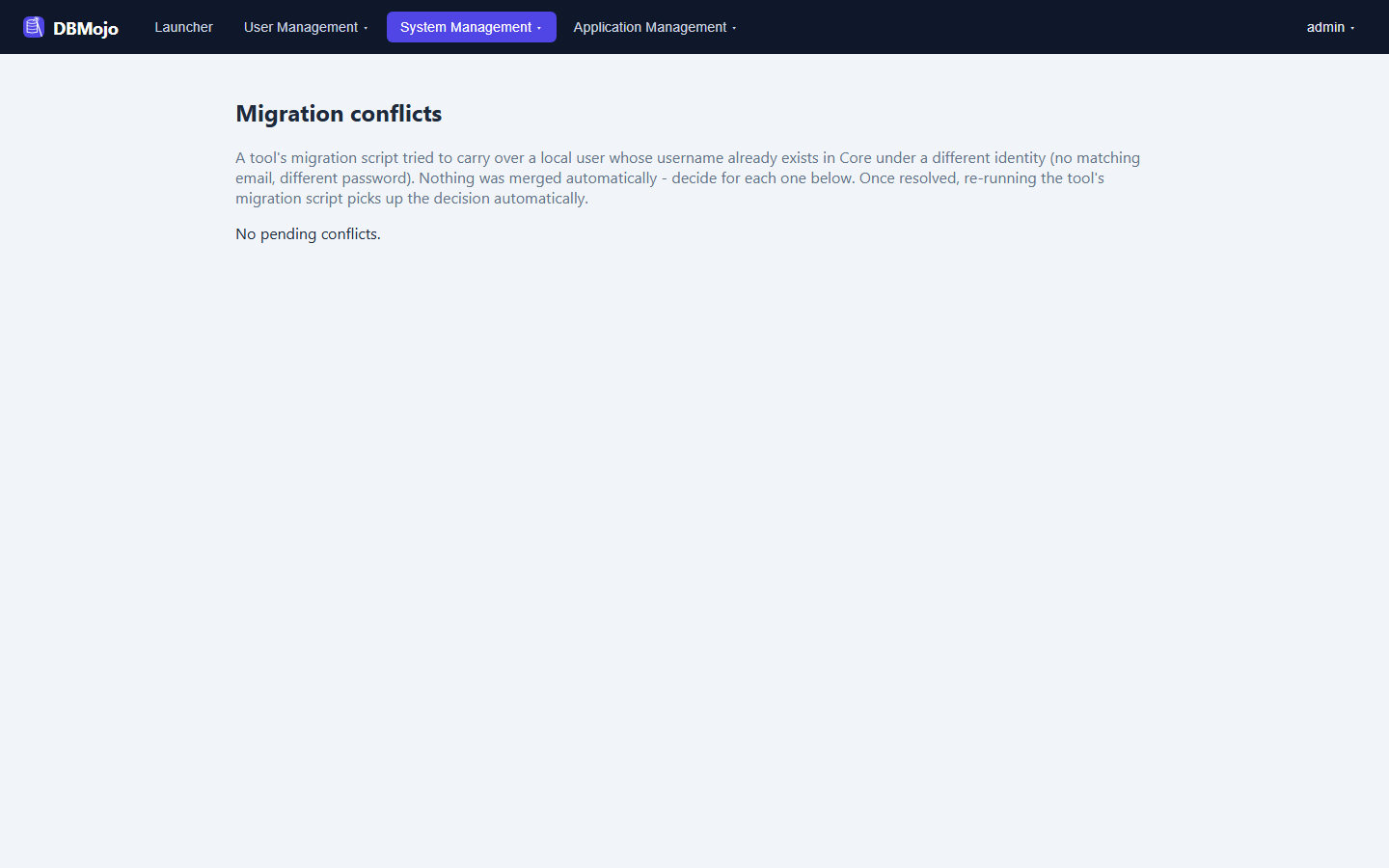
A collision is auto-linked (treated as the same person) only on strong evidence: a matching email, or a byte-for-byte identical password hash (the signature of a migration script safely re-running). Anything weaker — a different email, or no email on either side — is queued here for a human decision:
Once resolved, the decision is sticky — re-running the same migration script later picks up the prior resolution automatically instead of asking again.
GitHub is the flagship integration, but it's built behind a generic Git-provider interface so GitLab, Bitbucket Cloud, and self-hosted Bitbucket Server customers aren't blocked — switching providers requires zero changes anywhere else in Core.
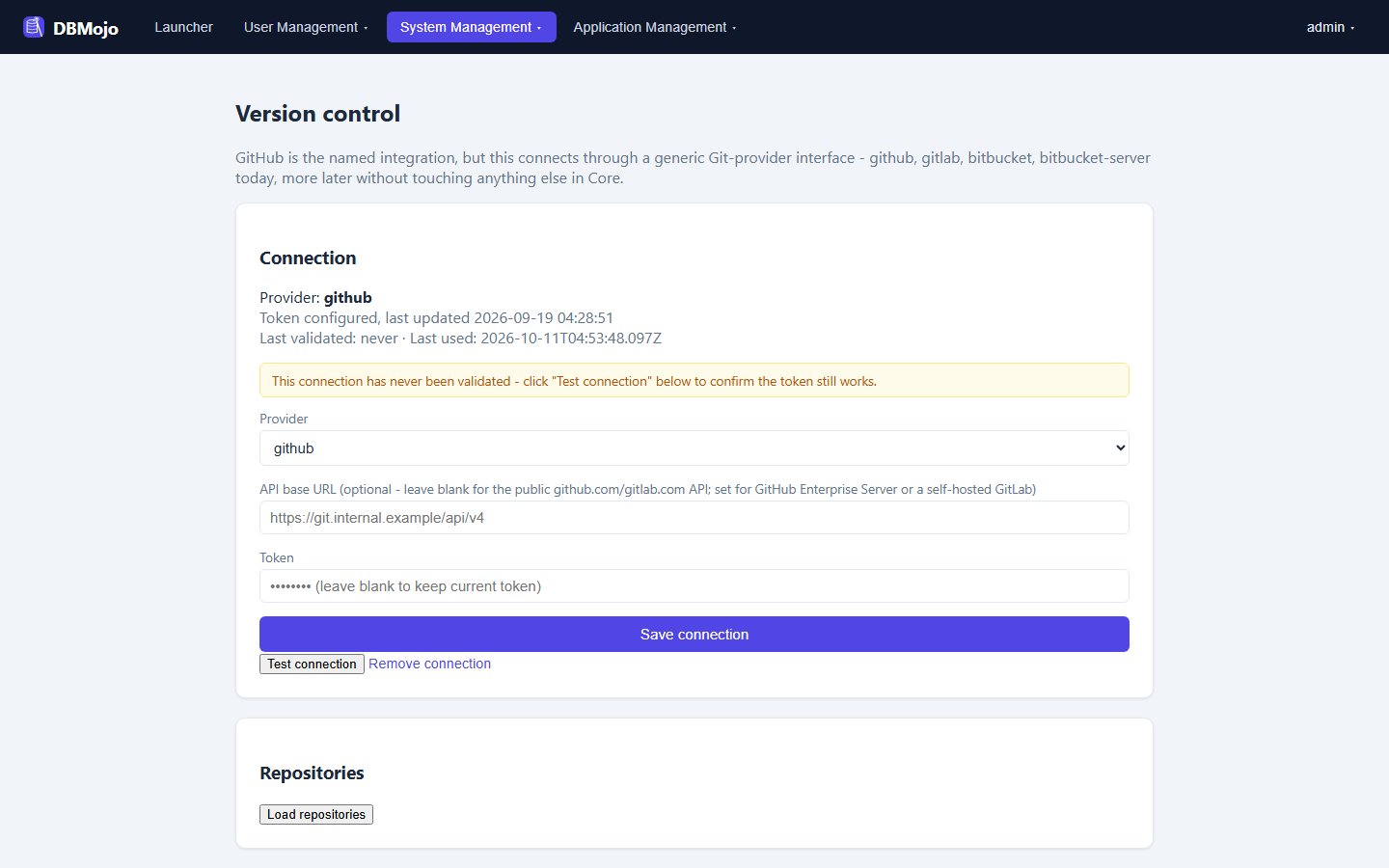
Beyond browsing repositories, every provider module supports real write operations: commit a file directly to a branch, or open a new branch and file a pull/merge request — exposed to Detanami, DataMosaic, Flow, and Smith over the same internal server-to-server pattern as everything else, so a tool can publish its own artifacts (a flow, a dashboard definition) without needing suite-admin access itself. Flow's editor surfaces this directly as its Publish to Git button, and Detanami's File menu, Smith's Deploy dialog, and DataMosaic's Git tab do the same.
Tools can also read from the connected repository — list branches, list a folder's files, and read a file — which is what powers Detanami's Load from Git. Reads are audited and reject path traversal. This read half is implemented for GitHub today; the other providers report “not supported yet” for it while still supporting commit and pull/merge request.
The remaining admin pages live under System Management (Audit Log, Audit Settings, License, Suite Config, Tools) and Application Management (AI DBA Agent, Flow Node Registry). Audit Log, Audit Settings, and the AI DBA Agent page are covered on the overview page's tamper-evident-audit and AI DBA Agent sections, with the additions below.
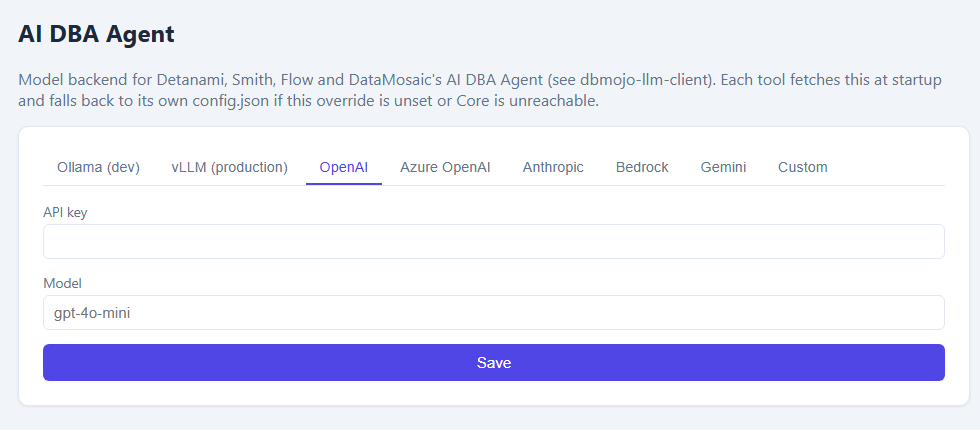
The page now has a tab for each supported model backend: Ollama (dev), vLLM (production), OpenAI, Azure OpenAI, Anthropic, Bedrock, Gemini, and Custom. Pick one, fill in its host or API key and model, and Save — every tool picks it up at its next start.
The Audit Settings page has a Chain integrity panel to verify the whole hash chain on demand. If it reports known hash_mismatch rows — for example entries written before an earlier bug was fixed — an audited re-baseline can acknowledge them by content digest. It refuses to acknowledge missing or re-linked rows, so it can accept a known-benign mismatch but can never hide a deletion.
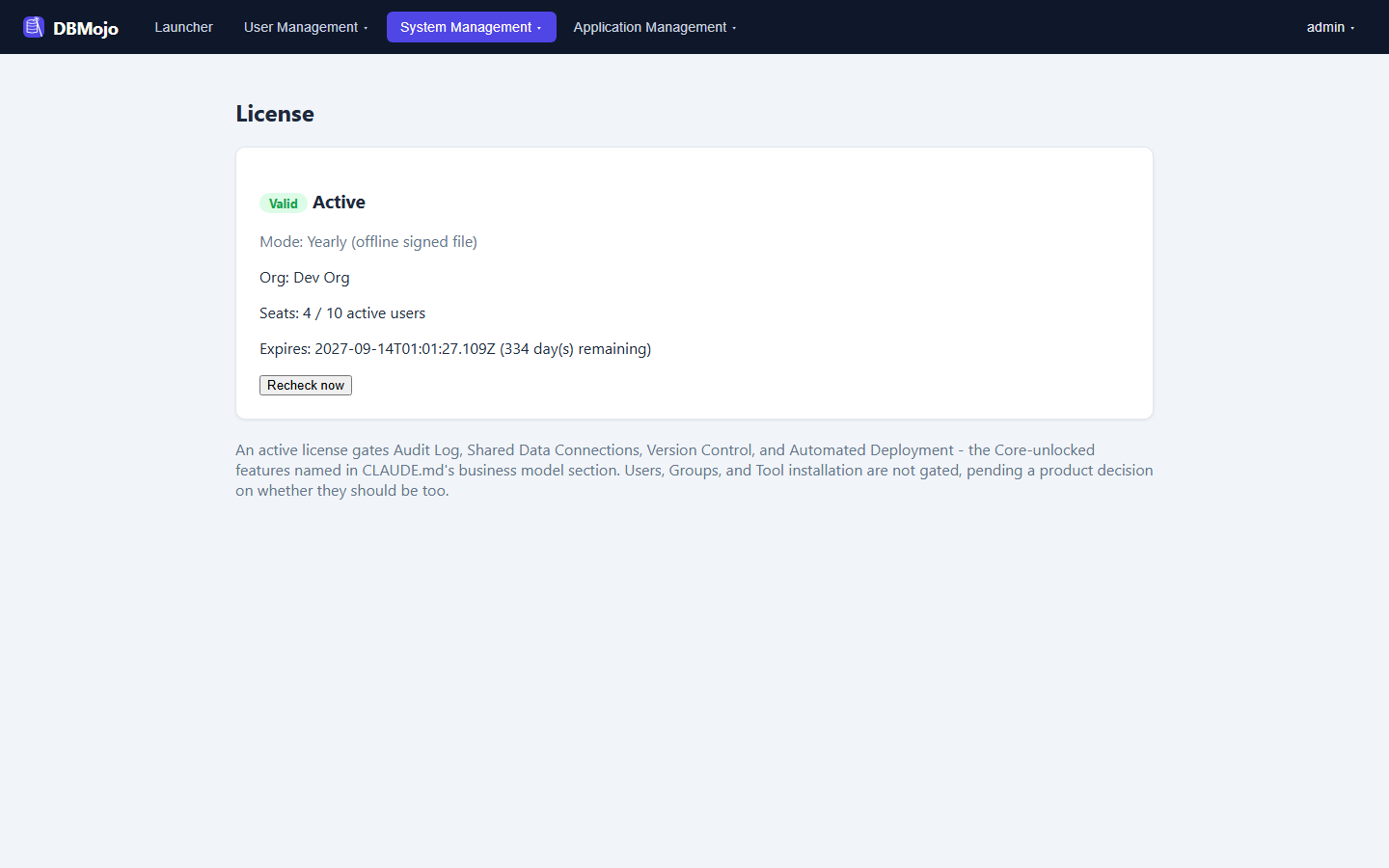
Shows the active license's mode, org, seat usage, and expiry, with a manual Recheck now. Licensing sits behind one validate() abstraction with two interchangeable backends: a connected token checked against a vendor service (degrades gracefully for up to 72 hours on a network failure rather than failing closed immediately), or a signed, offline file for genuinely air-gapped installs, verified entirely locally with no network call of any kind. A fresh install auto-issues a free 6-month trial on the connected backend, so trying the suite never requires talking to sales first.
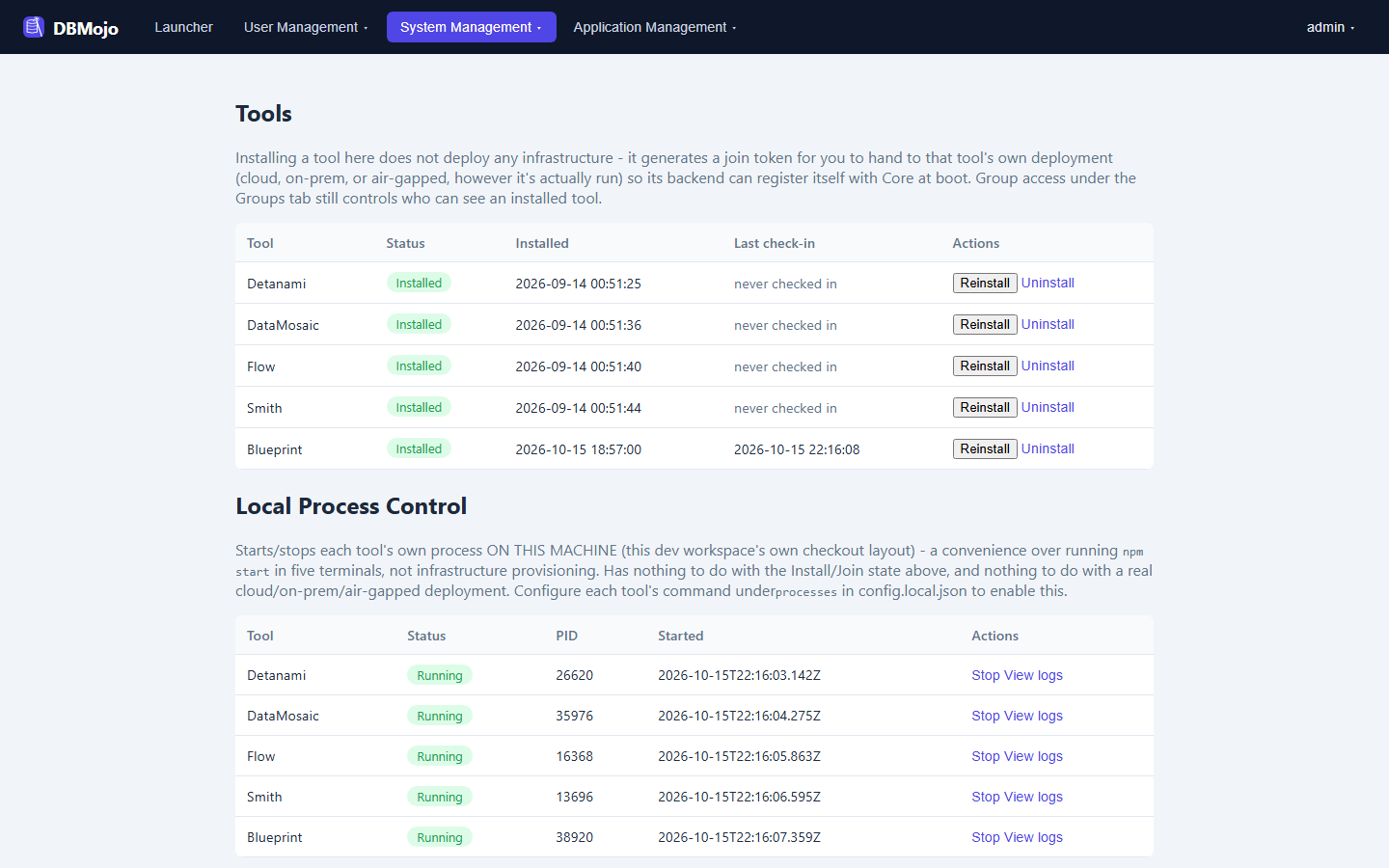
Tracks each tool's install state (Detanami, DataMosaic, Flow, Smith, and Blueprint), separately from per-group tool visibility — a tool can be installed but disabled for every group, or simply not installed at all. Install/Reinstall issues a fresh join token (shown once) for that tool's own deployment to redeem at boot; Core never provisions or deploys any infrastructure itself.
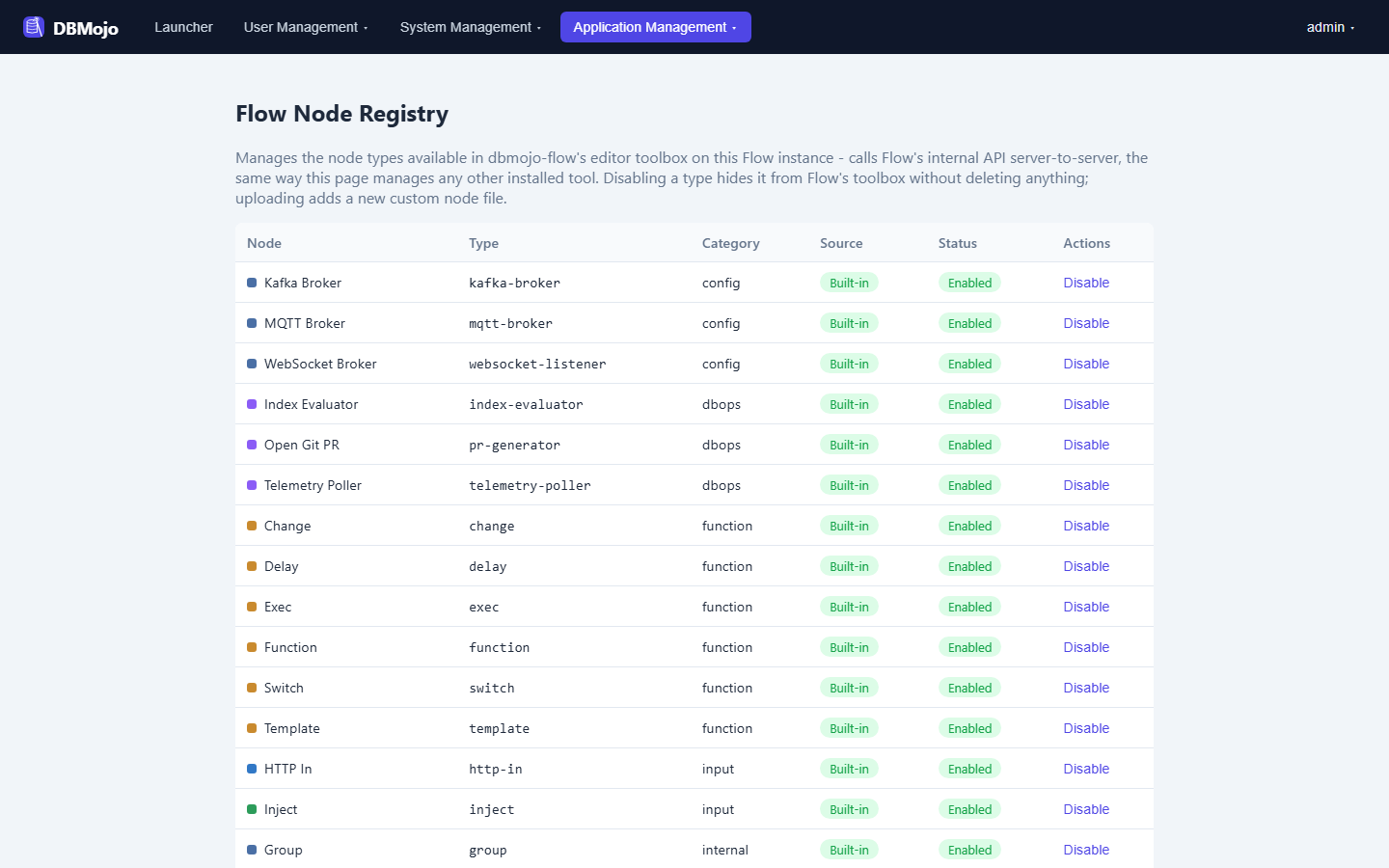
Manages which node types appear in Flow's own Toolbox — enable/disable a built-in, or upload a custom node file — by calling into a running Flow instance's internal API. This is the one place Core calls into a tool rather than the reverse.
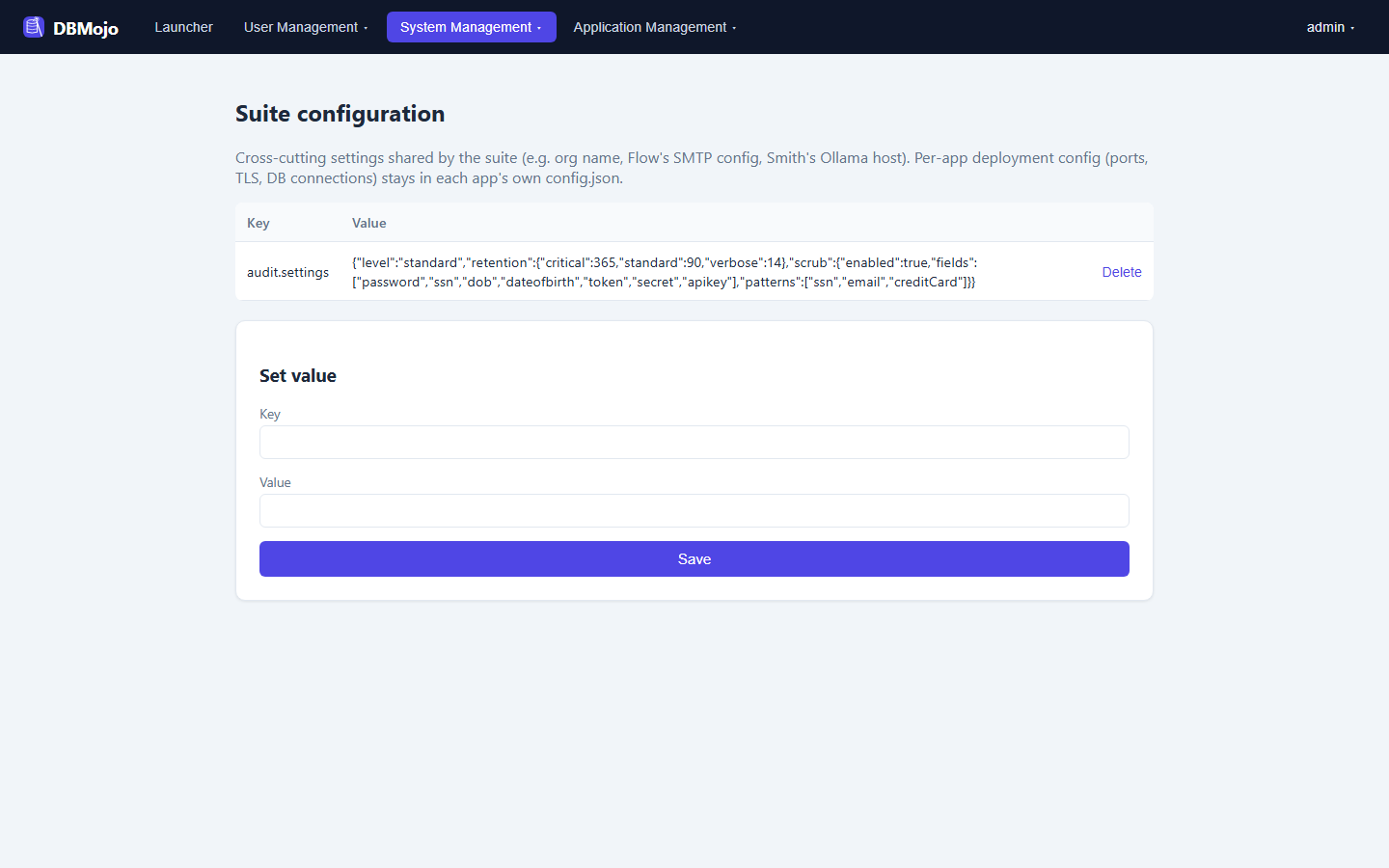
A plain key/value editor for cross-cutting settings shared by the suite as a whole — org name, Flow's SMTP config, Smith's Ollama host — as opposed to a tool's own per-environment deployment config (ports, TLS, DB connection strings), which stays in that tool's own config.json.
Two companion projects sit alongside Core. Both are new, and neither changes what Core does.
A Docker Compose bundle for a repeatable, single-hostname install: you supply one hostname and everything is served behind it, every hop over TLS — Core at / and the tools at /detanami, /datamosaic, /flow, and /smith. It needs only Docker with the Compose plugin. The full setup and configuration guide — .env reference, certificates, registering tools, upgrades, workers, and backups — is on the Docker Deployment page.
./install.sh --host dbmojo.example.com        # Linux / macOS / WSL / Git Bash
.\install.ps1 -HostName dbmojo.example.com    # Windows
A read-only Model Context Protocol server that lets an MCP client such as Claude Desktop or Claude Code read Core's state without clicking through the admin UI. It authenticates with a CI/CD token — there is no second credential mechanism — set as DBMOJO_CORE_TOKEN alongside DBMOJO_CORE_URL.
| MCP tool | Reads |
|---|---|
| search_audit_log | The audit log |
| list_connections | Shared Data Connections (only those the token was granted) |
| list_tools, tool_status | Tool install state and running processes |
| license_status | The license |
| list_deployments | Deployment requests (only against connections the token can see) |
| flow_node_registry | Flow's node registry |
| version_control_status, list_git_repos | The Git connection and its repositories |
Under the hood this is a general external read API: the admin GET routes (audit, connections, tools, processes, license, version control, flow nodes, deployments) also accept a CI token as Authorization: Bearer <token>. Every write — approving a deployment, editing a connection, installing a tool — still requires a real suite-admin session, and no query execution is exposed: Core remains a ledger, never an executor.